

As digital tools become more common in therapy sessions and classrooms, finding effective ways to support learning is essential. For occupational therapists, teachers, and parents, this means adapting traditional methods to new formats. One powerful tool gaining traction is the use of eReading worksheets, which bridge the gap between digital content and targeted skill practice. These resources can help build comprehension, visual motor skills, and fine motor control in an engaging format that resonates with today’s learners.
What Are eReading Worksheets?
An eReading worksheet is a companion activity designed to be used with a digital text, such as an e-book, online article, or even an educational video. Unlike a standard worksheet, its content is directly tied to a piece of electronic media. These worksheets can be interactive digital files, like fillable PDFs or activities on an app, or they can be printed out for hands-on use after a student has engaged with the digital source material.
The primary purpose of these worksheets is to reinforce learning and assess understanding. They prompt learners to actively process what they have read or watched. Activities can range from answering comprehension questions and defining vocabulary to sequencing events or identifying key details. The format is flexible, allowing for use on tablets, laptops, interactive whiteboards, or as traditional paper-and-pencil tasks.
Key Benefits of Using Digital Reading Tools in Skill Development
Incorporating digital tools and their corresponding worksheets into learning routines offers several distinct advantages. They can address multiple developmental goals at once, making them efficient resources for busy professionals and parents.
Enhancing Engagement and Motivation
Many children are naturally drawn to technology. The interactive nature of digital worksheets, which might include features like drag-and-drop answers or clickable elements, can make learning feel more like a game. This increased engagement can be especially helpful for learners who struggle with motivation or find traditional paper worksheets tedious. When a task is enjoyable, students are more likely to persist through challenges and retain information.
Supporting Accessibility and Differentiation
One of the most significant benefits of digital formats is their built-in accessibility. Features like text-to-speech can help students with reading difficulties, while adjustable font sizes and high-contrast modes support those with visual impairments. This makes it easier to differentiate instruction and provide every learner with the right level of support. A single digital file can be adapted to meet a variety of needs without requiring completely separate materials.
Developing Visual Motor and Fine Motor Skills
Using a stylus or finger to interact with a tablet screen requires precise hand-eye coordination. Activities on eReading worksheets, such as tracing paths, circling answers, or writing in digital text boxes, provide valuable practice for visual motor integration. These tasks help build the foundational abilities needed for handwriting and other daily activities. They are an excellent way to work on strengthening fine motor skills in a context that is both academic and motivating.
Integrating eReading Worksheets into Therapy and Classroom Sessions
The key to success with any tool is thoughtful implementation. eReading worksheets can be integrated into various settings to target specific goals.
For occupational therapists, these worksheets are ideal for addressing goals related to visual processing and fine motor control. For example, you can have a child read a short paragraph on a tablet and then use a worksheet that asks them to highlight all instances of a specific letter. This task addresses visual scanning, letter recognition, and controlled stylus use. Another idea is to use a sequencing worksheet where the child drags pictures or sentences into the correct order, which targets visual memory and planning skills.
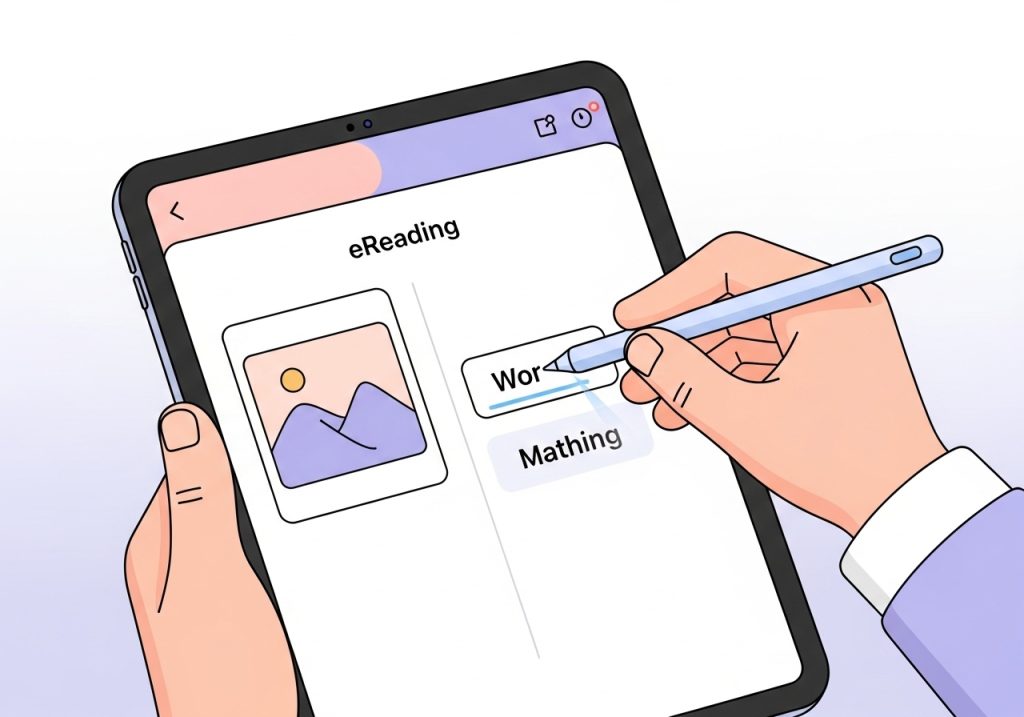
In the classroom, teachers can use these worksheets to support literacy centers. One station could involve students reading a short e-book on a tablet and then completing a companion worksheet to check for comprehension. For whole-group activities, a teacher could display an online article on an interactive whiteboard and complete a related worksheet together as a class, modeling how to find evidence in the text.
Parents and homeschool educators can use them to add structure to reading time. After reading a digital story together, completing a worksheet can facilitate conversation about the plot, characters, and new vocabulary. This transforms passive reading into an active learning experience.
How to Choose the Right eReading Worksheets for Your Learners
Not all digital resources are created equal. When selecting eReading worksheets, consider a few key factors to ensure they will be effective and appropriate for your learners.
- Clear Objectives: A good worksheet has a clear purpose. Does it aim to build vocabulary, check for comprehension, or practice sequencing? Look for resources that target specific skills, such as worksheets focused on finding the main idea or identifying cause and effect. The goal of the activity should be immediately obvious.
- User-Friendly Design: The layout should be clean, with minimal distractions. Instructions must be simple and easy for the learner to understand. For digital versions, check that the interactive features are intuitive and don’t require complex technical skills.
- Appropriate Content: The topic of the source material and the worksheet should be interesting and relevant to the learner’s age and developmental level. An engaging topic can make all the difference in a child’s willingness to complete the task.
- Manageable Length and Difficulty: The worksheet should be challenging enough to promote learning but not so difficult that it causes frustration. Consider the number of questions and the complexity of the required responses.

Practical Tips for Successful Implementation
Once you have selected an appropriate resource, a few simple strategies can help ensure a positive experience for the learner.
First, always set clear expectations. Before starting, explain the purpose of the activity and demonstrate how to use the digital tools or complete the worksheet. Modeling the task can prevent confusion and help the student feel more confident.
It is also important to balance digital activities with other types of learning. While eReading worksheets are a fantastic tool, they should complement, not replace, traditional books and hands-on, multi-sensory activities. A healthy mix of learning methods is often the most effective approach.
Finally, be flexible and ready to adapt. If a student is struggling with a digital tool, provide assistance. If a particular worksheet proves too difficult, modify it by completing some of the questions together or simplifying the instructions. The goal is to support learning, not to create a stressful situation.
eReading worksheets are a versatile and practical tool for anyone supporting a child’s development. By blending digital content with targeted skill practice, they help build essential literacy, visual processing, and fine motor skills in a way that feels modern and engaging. When chosen carefully and integrated thoughtfully, these resources can become a valuable part of your toolkit, helping learners build confidence and achieve their goals.
Ready to find practical, OT-designed resources to support skill building? Explore the shop at The Inspiring OT for a wide variety of printable activities, assessments, and guides created to make learning engaging and effective. Find low-prep materials today to simplify your planning and help your learners succeed.
Leave a Reply